Every flight, signposted.

Live status, gates and your plane's position, with friends and stays on one timeline. Built for iPhone.

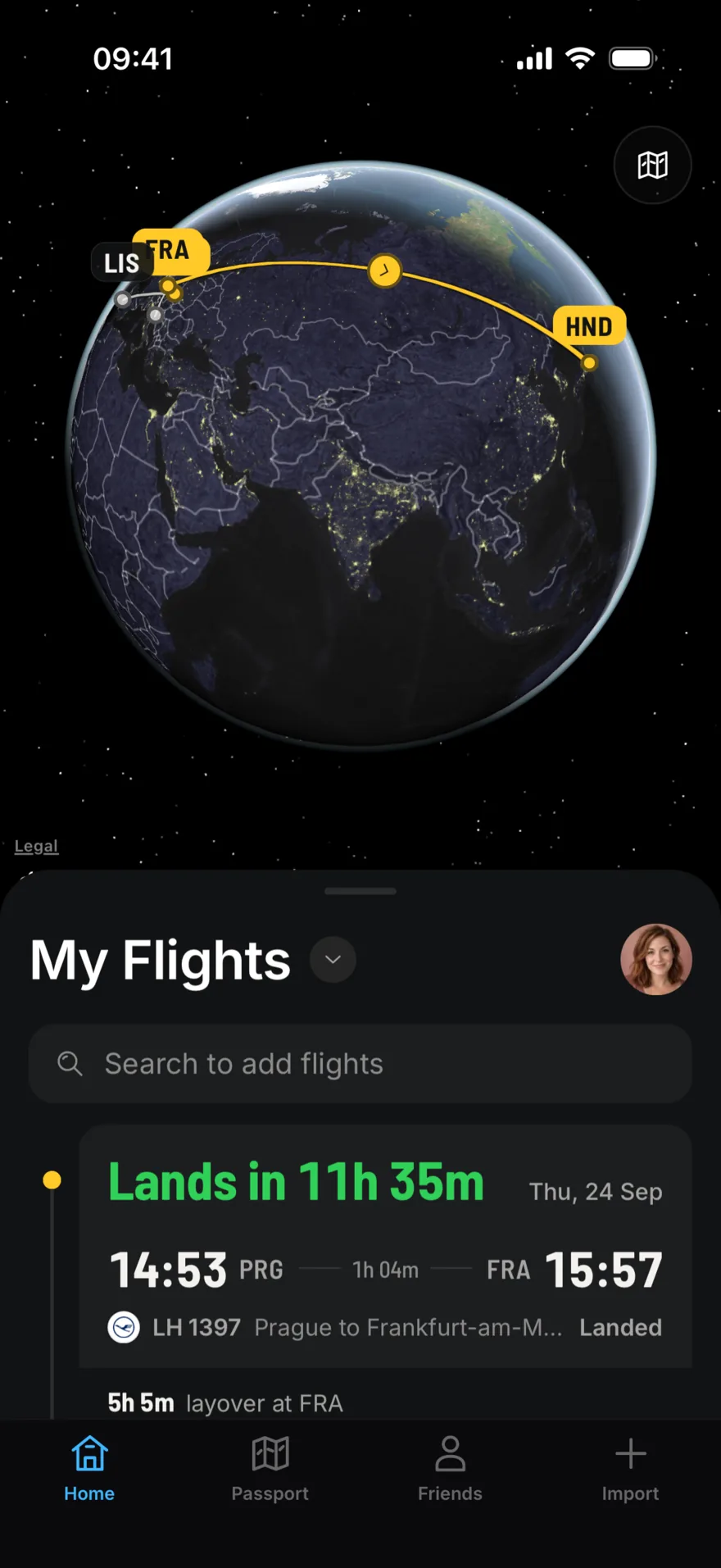
LetsFlight home screen: a night globe with the Frankfurt to Tokyo route drawn in yellow, above the list of flights. The next one lands in 11 hours 35 minutes.
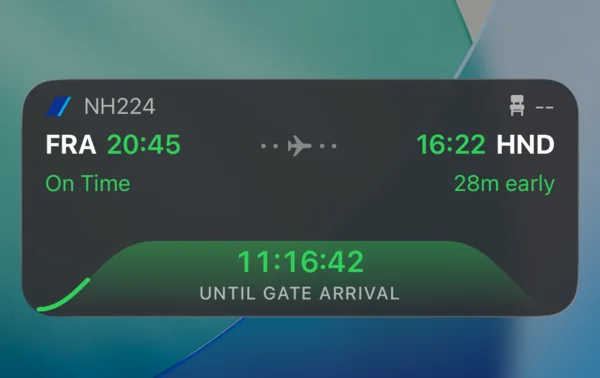
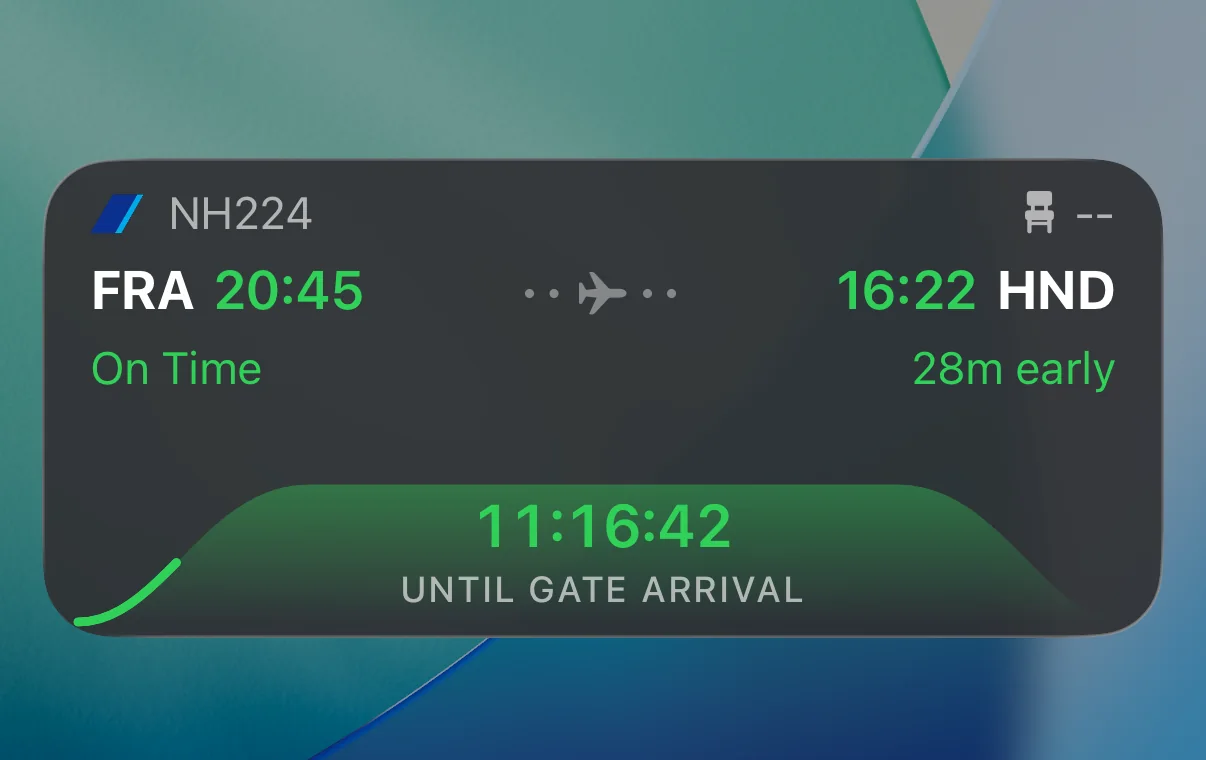
A LetsFlight Live Activity on the iPhone Lock Screen: NH224 from Frankfurt at 20:45 to Tokyo Haneda at 16:22, 28 minutes early, 11 hours 16 minutes until gate arrival.

One trip, start to finish.

Screenshots from the app on 24 September, following one real trip: Prague to Tokyo through Frankfurt.

Add a flight in seconds.

Type a flight number and LetsFlight fills in times, terminals and the aircraft from the live schedule. Connections, layovers and stays line up on one timeline.

  • Search by flight number or by route
  • Import past flights from a CSV file, such as a Flightradar24 export
  • Forward an Airbnb confirmation to add the stay
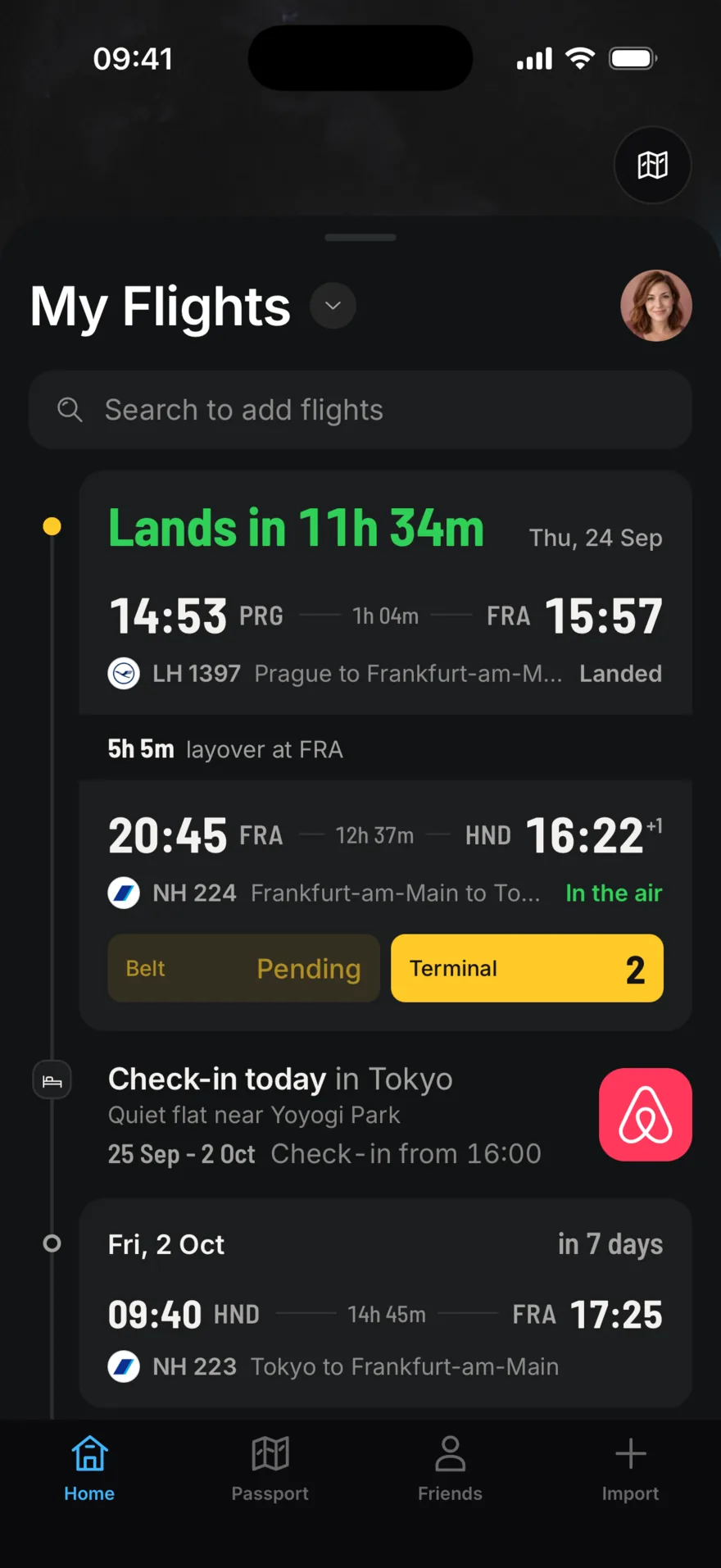
The trip timeline: LH 1397 Prague to Frankfurt has landed, a 5 hour 5 minute layover, NH 224 to Tokyo is in the air with terminal 2 on a yellow sign, then an Airbnb check-in in Tokyo and the flight home on 2 October.

Yellow means go.

The places you walk to sit on yellow signs, like the ones in the terminal: check-in desk, terminal, gate and baggage belt. Everything else stays quiet.

  • Check-in 451-452
  • Terminal 1
  • Gate B22
  • Seat 24A

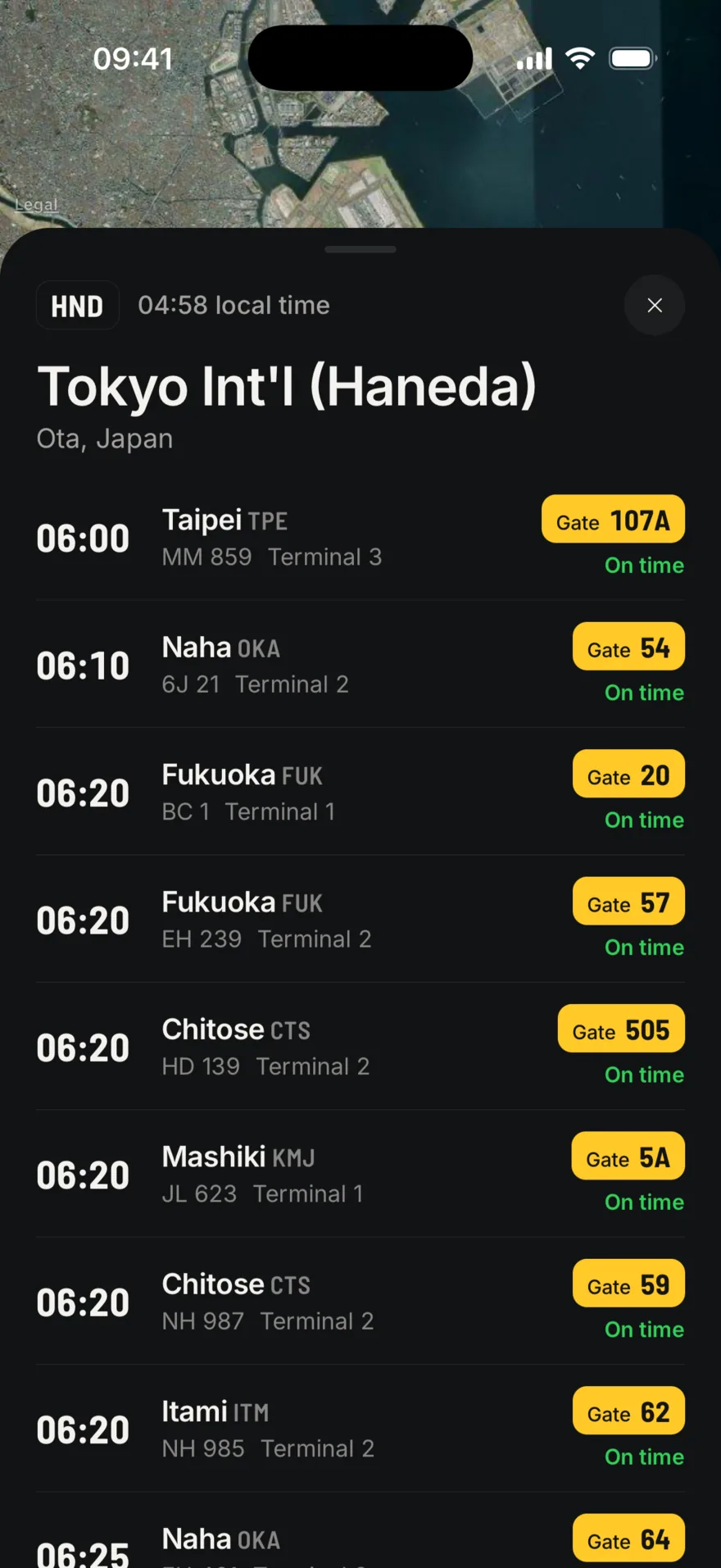
Open any airport for its live departures and arrivals board, gates included.

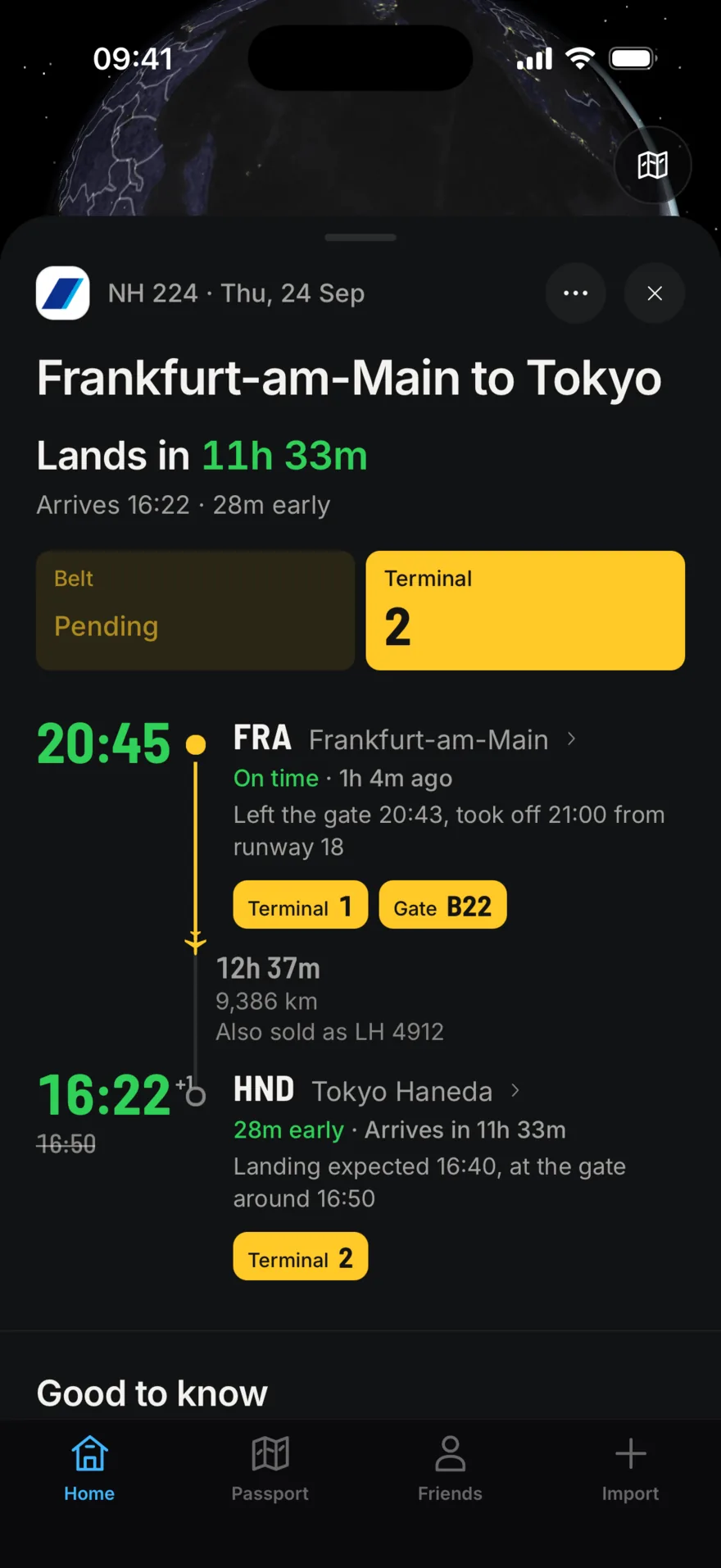
Flight detail for NH 224: departed Frankfurt at 20:45 after leaving the gate at 20:43 and taking off at 21:00 from runway 18, with terminal 1 and gate B22 on yellow signs. Arrival in Tokyo Haneda at 16:22, 28 minutes early, terminal 2.
The departures board at Tokyo Haneda: flights to Taipei, Naha, Fukuoka, Chitose and Itami, each with its gate on a yellow sign and marked on time.

See your plane, not just your flight.

Watch the aircraft move on the map, check which plane is operating your flight, and keep a countdown on your Lock Screen.

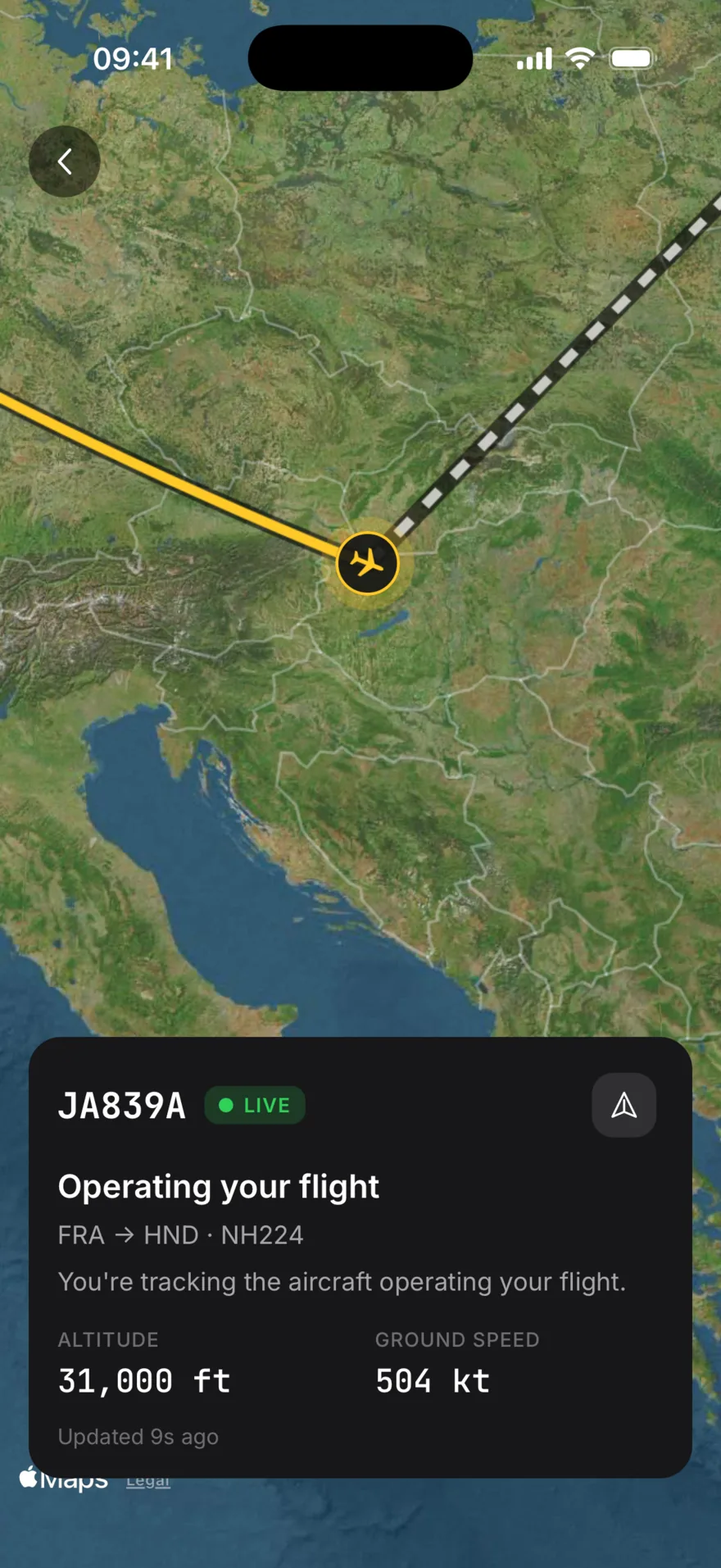
Live map: aircraft JA839A over Hungary on its way from Frankfurt to Tokyo, the flown track in yellow and the rest of the route dashed. Altitude 31,000 feet, ground speed 504 knots, updated 9 seconds ago.
Live position. Altitude, ground speed and the track so far.
The Live Activity on the Lock Screen counting down 11 hours 16 minutes to gate arrival in Tokyo.
On your Lock Screen. A Live Activity counts down to the gate, in the Dynamic Island too.
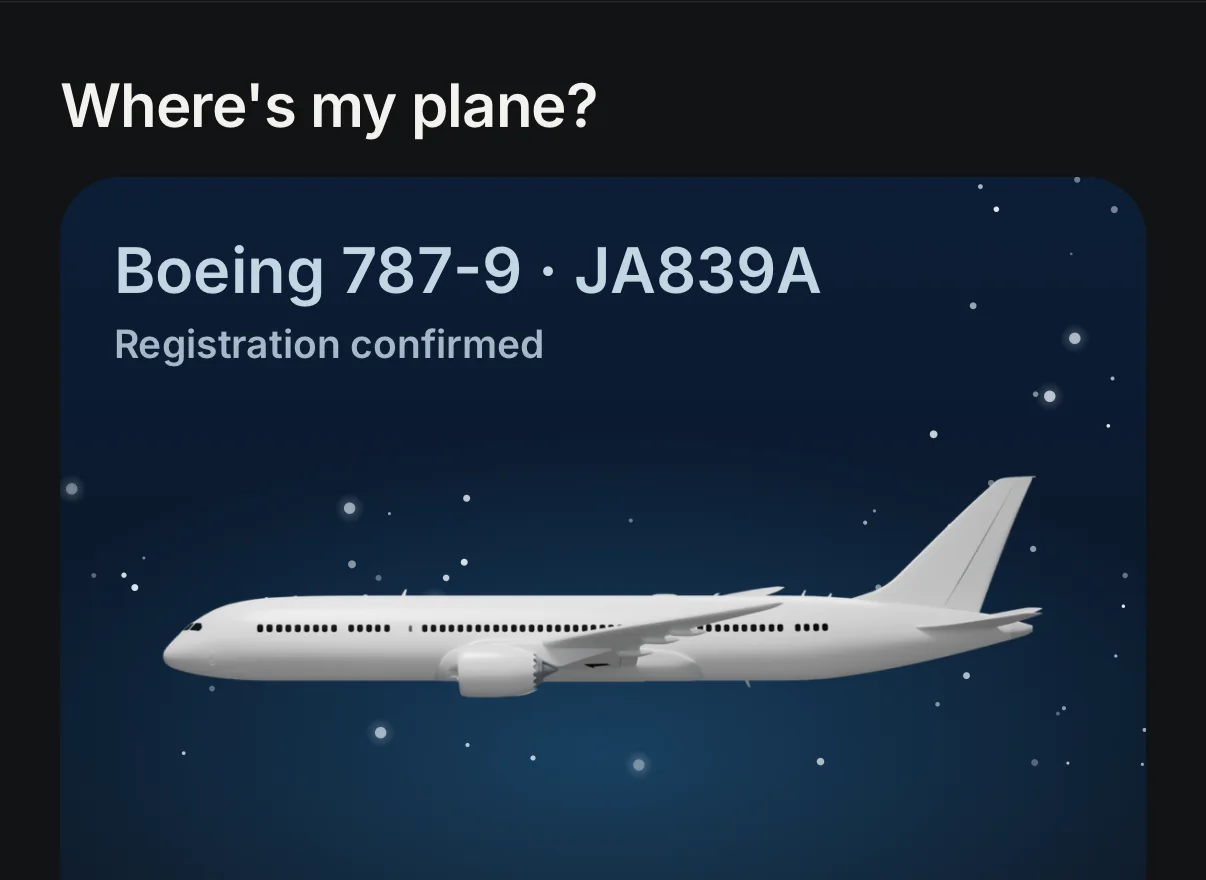
Where's my plane: a Boeing 787-9 with registration JA839A, confirmed, with a link to its live status.
Your aircraft. Type and registration as soon as the airline assigns it.
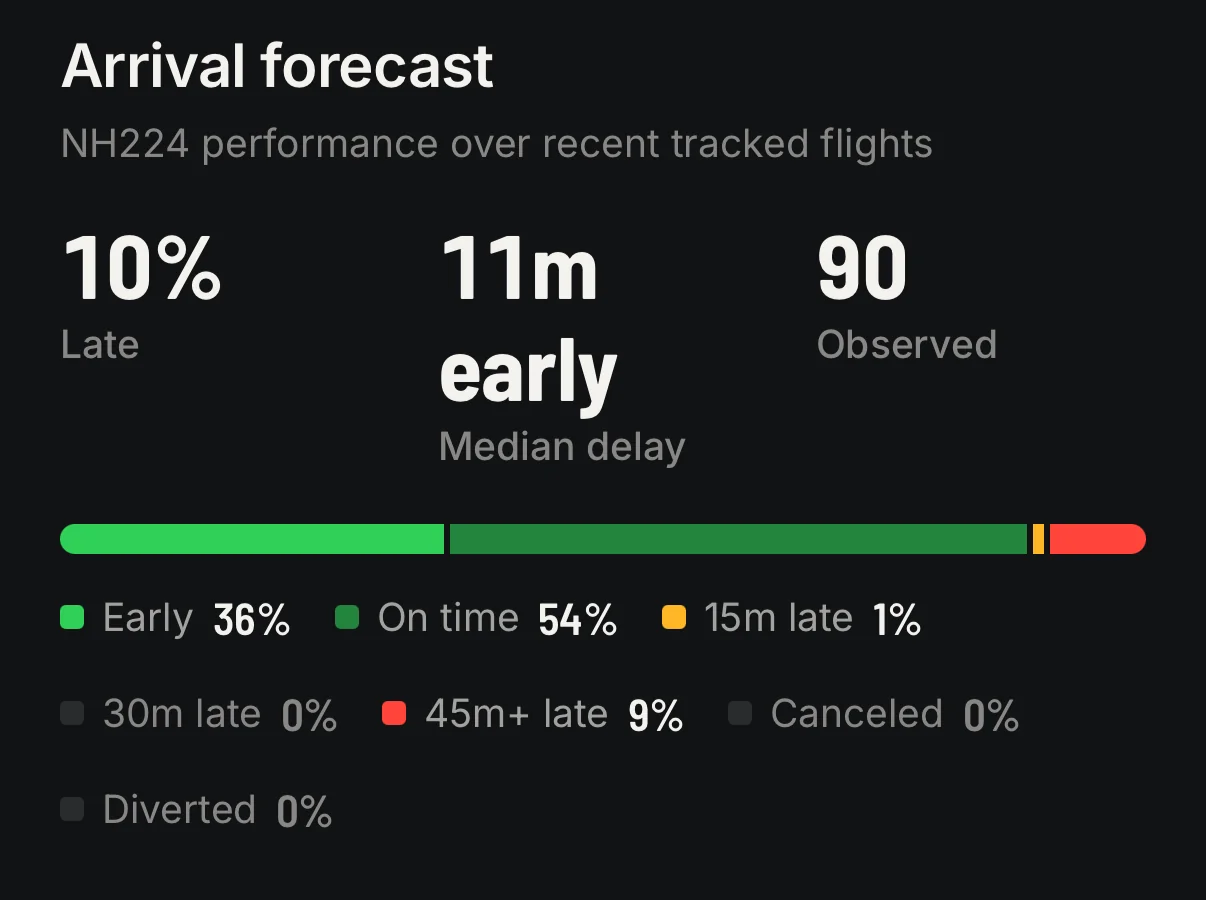
Arrival forecast for NH224 over 90 observed flights: 10 percent late, median 11 minutes early; 36 percent early, 54 percent on time, 9 percent more than 45 minutes late.
Arrival forecast. How this flight has really arrived lately.

Know when your people land.

Add friends by email and their flights show up next to yours. Flying together? A check mark tells you you're on the same plane.

Only friends you accept see your flights. Mute or remove anyone at any time.

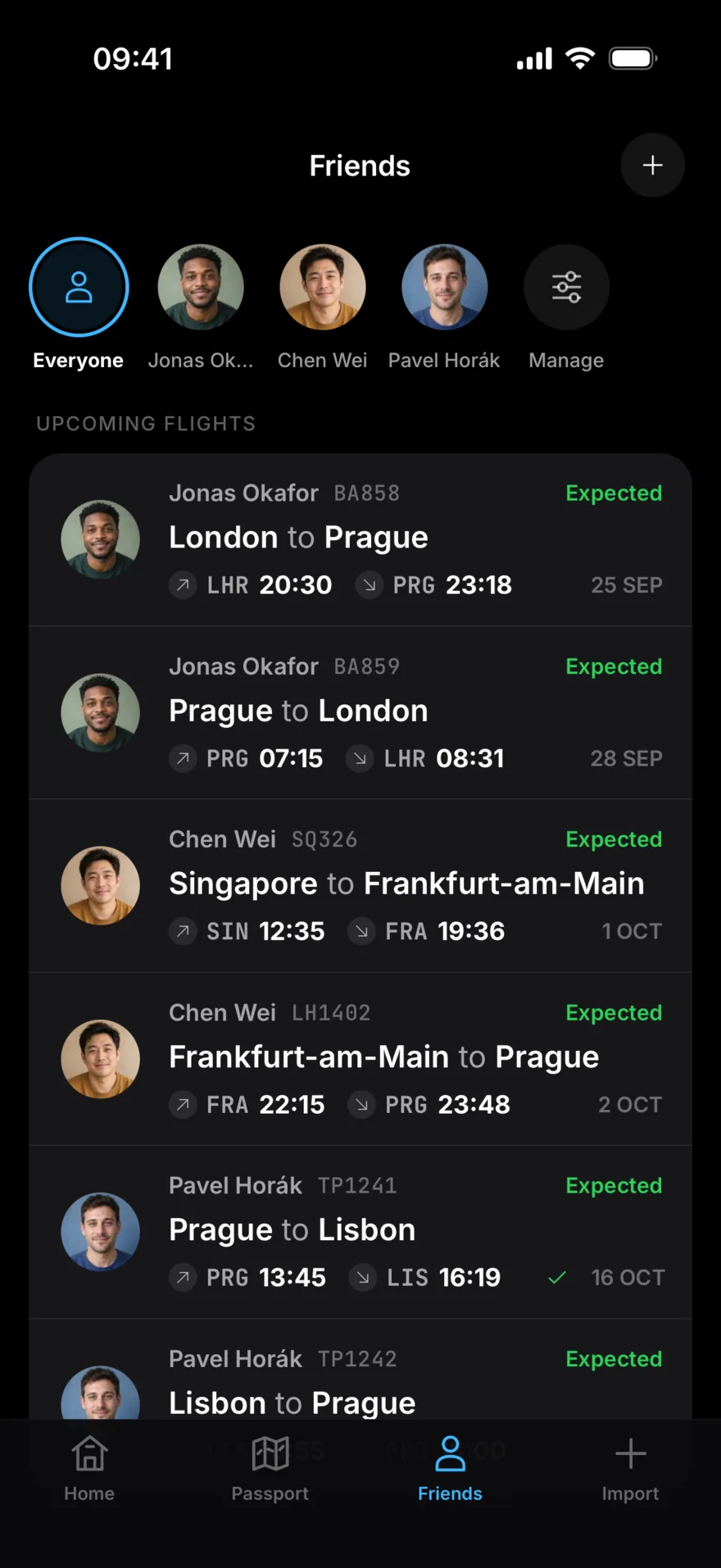
The Friends tab with upcoming flights from three friends: Jonas from London to Prague, Chen from Singapore to Frankfurt and on to Prague, and Pavel from Prague to Lisbon with a check mark for a shared flight.

Every trip stamps your passport.

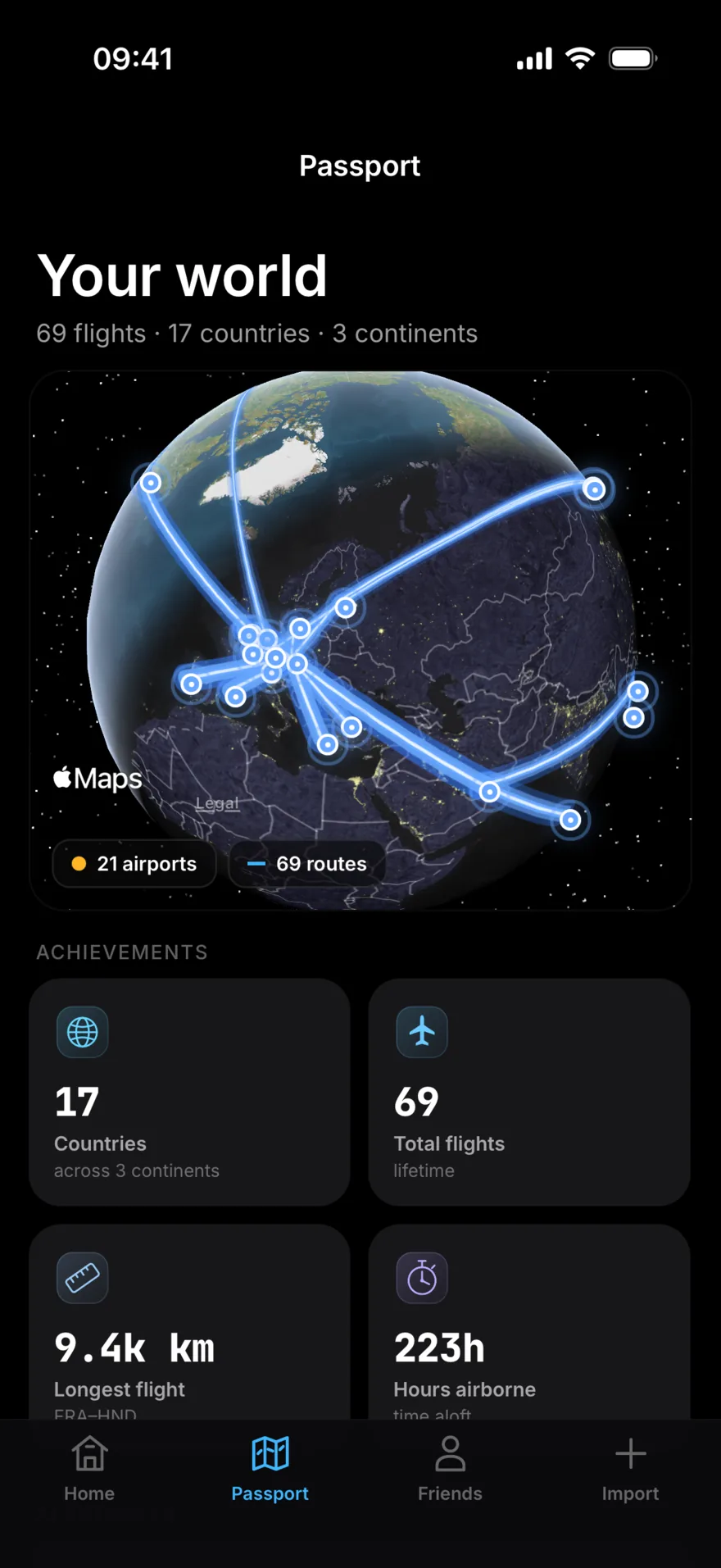
Countries, routes, hours in the air and your longest flight. Import your history and the map fills in from day one.

Passport: 69 flights, 17 countries and 3 continents, with every route glowing on a globe, and achievements for countries, total flights, longest flight and hours airborne.
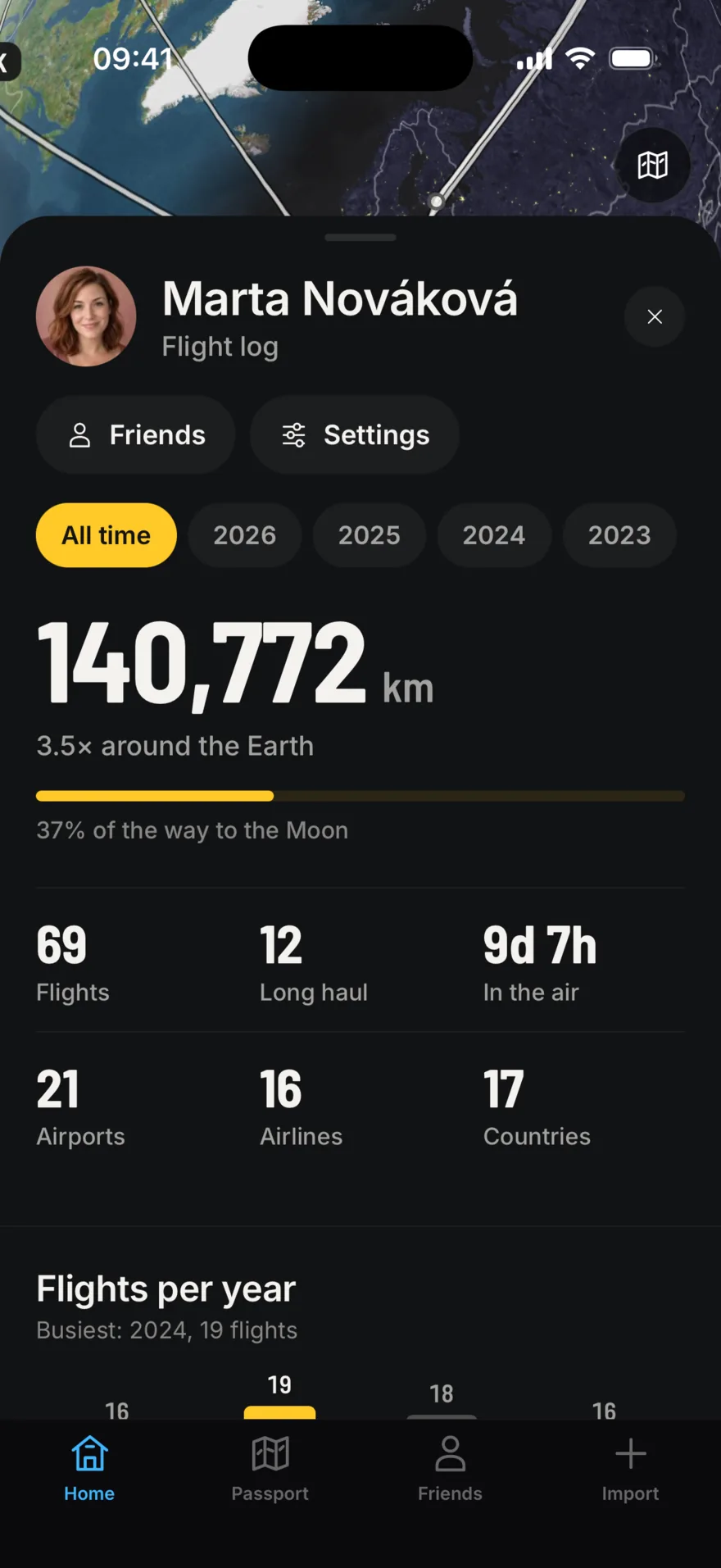
The flight log: 140,772 kilometres, 3.5 times around the Earth and 37 percent of the way to the Moon, with 69 flights, 12 long haul, 21 airports, 16 airlines and 17 countries.
Flown
140,772 km
Flights
69
Countries
17
In the air
9d 7h

From the sample account in these screenshots.

Questions

Which devices does LetsFlight run on?

iPhone, during the beta. Live Activities on the Lock Screen and in the Dynamic Island need iOS 17 or later.

Is it free?

Yes. Everything in the beta is free to use.

Where does the flight data come from?

LetsFlight combines several aviation data providers for schedules, gates, delays and live positions. Data can lag the airline by a few minutes, so the departures board at the airport always has the final word.

Can I bring my flight history?

Yes. Import a CSV file, for example a Flightradar24 export, and your passport fills in. You can export your own log as CSV whenever you like.

Who can see my flights?

Only friends you accept. You can mute or remove a friend at any time, and delete your account and data from Settings. The Privacy Policy has the details.

Board the beta.

LetsFlight is in private beta on iPhone through TestFlight. Leave your email and we'll send an invite when the next group opens.

The airline you fly most, or who you'd share flights with.

This opens an email to hello@letsflight.app with your details filled in.